Insert Link does not work on mobile devices


MT_PLS

Forum Member

⭐Supporting Member
U.S. Military - Veteran
Joined
Aug 4, 2024
Messages
212
Points
101
City
Helena
State - Country
MT - USA
Vehicle Year
1989
Vehicle
Ford Ranger
Drive
4WD
Engine
2.3 (4 Cylinder)
Transmission
Manual
Total Lift
1.5" RC leveling springs
Tire Size
235/75R15
The "insert link" option does not work for me when using mobile devices (phones and tablets). I have tried Chrome and Internet Explorer.
 
Does the window not pop up? Do you get an error message? Can you take a screen shot of the problem?
 
I will see if I can get a screenshot from my tablet when I get home.
I just tried it on my phone again, and the window does pop up now.
 
I just tried on iphone and android and it works here, for the record.
 
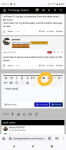
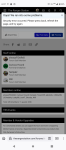
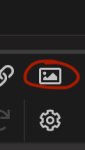
I tried using the icon circled. I get an error message. Its been like this ever since Jim went into this forum platform.
Also, I can't seem to make pics fullsize.
 

Attachments

  • Screenshot_20241028-183833.png
    110.9 KB · Views: 108
  • Screenshot_20241028-183734.png
    116.6 KB · Views: 118
On my tiny phone if you want to insert a link, as in an HTTP link, if you click the thing that looks like a chain
3E2A8706-C617-430C-B613-38EC6CD88319.jpeg

It will embed the link. If you click the photo icon835625D0-2703-4721-BFC4-E1E2860145F8.jpeg
It will give you the choice of choosing or drag-and-dropping a photo and also whether you want it to be a thumbnail or a full size photo.
Not easy on my phone though 😀

Edit: I don't think you'll be able to insert a link with the photo option... Photo with the link option will depend on whether the link is to a photo I think
 
My Kindle Fire doesn't like any of those options, but my Android phone does just fine with them. No big deal, I only use the Fire when insomnia kicks in at 4am daily.
 
I was trying the drag and drop option when I got the result posted.
I don't have a link, or an "URL" to point to.
Trying to click the full size does nothing.
 
I was trying the drag and drop option when I got the result posted.
I don't have a link, or an "URL" to point to.
Trying to click the full size does nothing.

I've looked over the settings for the usergroups you're in to see if one of them isn't set right and could be giving you problems. I didn't find anything wrong. The only other thing I could do is remove all but Moderator and see if that works.
 
I've looked over the settings for the usergroups you're in to see if one of them isn't set right and could be giving you problems. I didn't find anything wrong. The only other thing I could do is remove all but Moderator and see if that works.
I'd be tempted to have him create a test account to use. Figure out if it's account based or something with his device/another app he's running.
 

Sponsored Ad

TRS Events & Gatherings

Latest posts

Featured Rangers

Want to see your truck here? Share your photos and details in the forum.

TRS Latest Video

Official TRS Merchandise

Follow TRS On Instagram


Product Suggestions

Back
Top